Reiciendis voluptatibus...

At vero eos et accusamus et iusto odio dignissimos ducimus qui blanditiis praesentium voluptatum deleniti atque corrupti...

Reiciendis voluptatibus maiores

Asumenda omnis dolor...

At vero eos et accusamus et iusto odio dignissimos ducimus qui blanditiis praesentium voluptatum deleniti atque corrupti...

Asumenda omnis dolor

Voluptates repudiandae ...

At vero eos et accusamus et iusto odio dignissimos ducimus qui blanditiis praesentium voluptatum deleniti atque corrupti...

Voluptates repudiandae sint

Necessitatibus saepe ev...

At vero eos et accusamus et iusto odio dignissimos ducimus qui blanditiis praesentium voluptatum deleniti atque corrupti...

Necessitatibus saepe eveniet

Omnis dolor repellendus...

At vero eos et accusamus et iusto odio dignissimos ducimus qui blanditiis praesentium voluptatum deleniti atque corrupti...

Omnis dolor repellendus

Pomnis voluptas assumen...

At vero eos et accusamus et iusto odio dignissimos ducimus qui blanditiis praesentium voluptatum deleniti atque corrupti...

Pomnis voluptas assumenda

Harum quidem rerum...

At vero eos et accusamus et iusto odio dignissimos ducimus qui blanditiis praesentium voluptatum deleniti atque corrupti...

Harum quidem rerum
  • Reiciendis voluptatibus maiores
  • Asumenda omnis dolor
  • Voluptates repudiandae sint
  • Necessitatibus saepe eveniet
  • Omnis dolor repellendus
  • Pomnis voluptas assumenda
  • Harum quidem rerum
Showing posts with label MOBILE APPS. Show all posts

Tuesday, 6 December 2011

15 Best Nook Tablet Apps


With barely a thousand apps on board, Barnes & Noble's app store is puny compared to the Amazon Appstore, which launched in March with 3,800 apps on board. But of the slim pickings in the Nook app store most are useful, high-quality ones that show off the new Nook Tablet's ($249) and Nook Color's gorgeous high-resolution, 7-inch LCD multi-touch display.

The Nook Tablet, like the Amazon Kindle Fire, runs a very highly customized version of Android 2.3 on a TI OMAP4, 1GHz dual-core processor, making it difficult to interchange apps between the two tablets without rooting them first. Furthermore the Nook's user interface looks nothing like Amazon's (or, for that matter, Android's).

Furthermore unlike the Nook Tablet's popular rival, the Amazon Kindle Fire ($199, Editor's Choice), the Nook Tablet partitions 15GB of the 16GB of onboard RAM. In other words, you can only use this space to store content purchased from Barnes & Noble unless you buy an extra 32GB MicroSD card to sideload third-party apps. "Most of the app store is filled with games or children apps, but Barnes & Noble has said it will ramp up options in fashion, cooking, travel, and health over the next few months.

Until then, we've gone through nearly every one to give you the 15 best apps in the Nook app store, a list that will hopefully expand as Barnes & Noble adds more. Whether you're a hardcore news junkie, a social networking nut, a type-A workaholic, a video game addict, an intellectual curioso, or all of the above, there's something for everyone here.

Contacts Plus


$1.99
This is a very simple, very useful little app. It imports contacts (and birthdays!) from your Facebook, Twitter, MySpace, and email accounts and lets you send your PDFs, text files, pictures, or any other files stored on your Nook Tablet. Even records who Liked or commented on what. Great way to share Nook content to non-Nook users.


Doodle Snake

$0.99
Remember when the only game you could play on your dumb phone was Snake? Doodle Snake gives the old school game a thoroughly modern makeover that incorporates crisp graphics and motion sensor control. Highly addictive. 


Evernote


Free
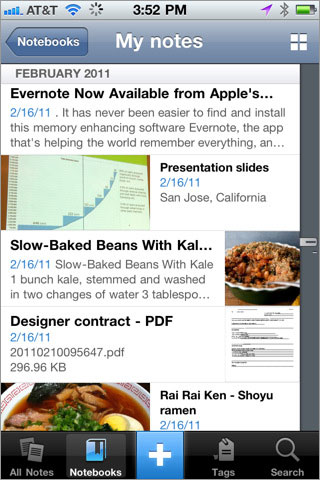
Evernote, a mainstay on must-have apps lists and PCMag Editors' Choice pick among note-taking and organization apps, lets you draft text notes, record and save audio notes, upload images and photos taken on the spot, and organize all these files into "notebooks."


Express News Premium

$1.99
This app aggregates news articles from top-notch newswires like the Associated Press, Canadian Press, and STAT, and delivers them to you in a slick, user-friendly interface that reminds me of Pulse. No setup required—just launch and absorb. 


FriendCaster for Facebook


$1.99
Until Facebook launches its own Facebook Chat app for the Nook, FriendCaster is a solid user-friendly alternative. You can even pin a Facebook chat to your bottom toolbar for continuous updates as you use other apps.


Moon Phase Pro

$0.99
If, like me, you live in a city of bright lights and skyscrapers, you can't always appreciate the glow of the moon. Moon Phase Pro offers detailed, 3D photos of the moon as seen from your GPS coordinates. Check the moon's phases, angles, rise and set times, and nearest syzygies (the alignment of three celestial objects, such as the sun, Earth, moon, or planet). Gorgeous. 


My6sense


Free
There are a lot of usability problems with this content aggregator, but I added it to the list because of its potential—and because, honestly, at only 1,000 apps in the store, pickings are a little slim. My6Sense is a personalized news reader that delivers content to you based on what you Tweet, post on Facebook, write on Google+, read on Google Reader, and much, much more. It's intelligent all right, if a bit buggy.


My-Cast Weather Radar

$4.99
If you don't think a weather app could possibly be worth $4.99, think again. Garmin's My-Cast Weather Radar lets you not only view weather forecasts through pinch-zoom interactive graphs, but also track storms in real-time, monitor cloud activity, and check detailed weather info anywhere in the world. 


Rhapsody


Free, requires subscription from $4.99 per month
As far as cloud music players on the Nook Tablet go, it's either Pandora (which is preloaded), Grooveshark, Mog, or Rhapsody. I've always preferred Rhapsody (an Editors' Choice in the Android app field) because it offers the most fuss-free on-demand music streaming, and perhaps the biggest collection of music--more than 8 million songs.


Seesmic

Free
Seesmic is a popular social media aggregator that loads timelines from your various social networking accounts, like Twitter, Facebook , and Salesforce Chatter. Very useful app to install on the Nook, since the store doesn't offer any full-featured social networking apps from the sites themselves. 


Skitch


Free
By the makers of Evernote, Skitch lets you scribble all over photos or pages of text, or edit the image in a palette that includes tools for resizing, cropping, shapes, etc. Finally, you can import your sketch into Evernote.


Smithsonian Channel

Free

If you're a nerd and love your museums and documentaries, definitely download this video streaming app. You'll find hi-res videos and full-length features covering everything from how to cook the best chili to how some civilizations died.


StorySpark


Free

StorySpark is aimed at kids, but will appeal to adults with big imaginations, too! This gorgeous app lets you build your own children's ebook, which you can then submit to app developer Tikatok (Barnes & Noble's self-publishing company) to publish online or share with friends. For an additional fee, you can turn it into a professionally bound soft or hardcover.


UStream

Free

The Nook Tablet doesn't have a camera for you to record and upload your own videos, but you can stream other people's live footage to your heart's content with the UStream.TV app. We've spent a lot of time with this on the desktop client and iPhone app and found both extremely user-friendly.


Word Rainbow


$0.99

World Rainbow is a fun word game that's as addictive as Scramble and brainy as a crossword puzzle. Word Rainbow tests your ability to find hidden words in a jumble of letters; you're guided by trivia questions and word definitions.


Posted by Love Ur Life 0 comments

Thursday, 1 December 2011

The 10 Best Shopping Apps to Compare Prices


Holiday shopping can be quite nerve-racking. You have to deal with crowds (and some shoving and pushing), wait in long lines, and, of course, there’s the inevitable fight over that last special something. And that’s just the start of it. Perhaps the biggest annoyance is that nagging “what if” that lingers in the back of your mind as you’re deciding whether or not to make your purchase: "What if I can get this for less somewhere else?" 

Five years ago, the only way you were able to compare prices while out shopping was to start up your phone and browse sites like Google and Amazon. Ten years ago the only way to do this was to write down the product name, drive home, and look the product up online. Twenty years ago, we were driving from store to store to compare prices. Thankfully, as we close in on 2012, things are much easier. Shoppers can simply scan a product's barcode using a smartphone app that pinpoints the lowest prices and shares ratings and reviews from other shoppers. Now there's no doubt that the blender on sale for $29.99 will make pitcher after pitcher of margaritas. 

Our Thanksgiving leftovers in the fridge signify one thing: The busiest shopping time of the year is here. With Black Friday upon us, it's time to get serious about holiday shopping. To help you avoid the “what ifs,” we rounded up ten price-comparison apps for both Android and iOS phones, which should make your shopping experience a little easier. So, charge up those smartphones, hit the stores, and start scanning.

Amazon Price Check

Available On: iPhone, and Android (free)

Amazon's Price Check app can look up products by scanning a barcode; snapping a photo of a book, DVD, CD, or video game cover; or by a product name search. Users will only get Amazon's prices with this app. That being said, Amazon does have over 2 million online merchants, so there's a good chance they'll find a great deal. Once the product is scanned, users can read Amazon reviews, buy the product, and add it to their wish list. Price Check also features Amazon's Deal of the Day, as well as its Lightning Deals offers, which change multiple times a day. Amazon customers can sign in with their account info and view personal recommendations for each department. Note: One-Click purchasing is automatically turned on, so make sure to disable it to avoid accidentally clicking the "Buy Now" button and instantly purchasing the product. 


Barcode Hero

Available On: iPhone (free)

Barcode Hero is a community-oriented app based on a point system. Users scan a product they own and share their opinion with other Barcode Hero users. The more users share, the more points they earn and Barcode Hero encourages users to share their reviews with their Facebook friends and Twitter followers. This can elevate a user's status, making him or her more or less as an expert in certain fields. For example, a user that constantly rates and reviews wine might be seen as the go-to person to follow for wine recommendations. When users are shopping, they simply scan a barcode and, if any other members have rated it, they can see if the product is worth buying. Besides checking the product with other users, Barcode Hero also checks prices at online retailers like Amazon, Buy.com, and Nordstrom. The app lets users create wish lists and share them with friends and family members, as well as keep track of items to buy later. 


Barcode Scanner

Available On: Android (free)

Barcode Scanner allows users to scan UPCs and QR codes and search for the results using Google's product search. The app is very straightforward and doesn't feature any bells and whistles. In addition to scanning QR codes, Barcode Scanner lets users generate their own QR codes. This is helpful for those who want to share content with a friend, such as contacts, bookmarks, applications, calendar events, geographic coordinates, or the contents of the clipboard. 


Consumer Reports Mobile Shopper 2012

Available On: iPhone and Android ($4.99)

Consumer Reports Mobile Shopper 2012 is more than just another barcode scanner app; the $4.99 price gives users the inside scoop to Consumer Reports-rated products. The app provides users with one year of ad-free access to "expert and unbiased Consumer Reports' ratings, brand reliability, buying advice, videos, and more on thousands of products." Shoppers can make sure they're getting the best product while out shopping. Gone are the days of buying a product and bringing it home, only to read disappointing online reviews. In addition to Consumer Reports recommendations and ratings, the app also features user reviews, perfect for the shopper who's always fretting about buying the right product. 


Goodzer

Available On: iPhone (free)

Sure, having the option to buy a product for less online is great, but what about when you need a product right away? If you're looking for a particular product but don't know where to buy it, Goodzer can help. For example, if a recipe calls for a vanilla bean and you're unsure where to buy one—as most grocery stores don't have them on hand—you can search for vanilla bean and Goodzer will map out the closest stores with vanilla beans. If you are able to wait for a product to be delivered, Goodzer can also show you where you can buy it online. If you don't have an iPhone, you can check out Goodzer.com. The nice thing about Goodzer is that it does more than just list the products sold at major retailers; it also lists small stores and boutiques that you otherwise might overlook. After doing a few test searches, we have to admit that it's not perfect, but Goodzer is definitely worth checking out. Our search for vanilla beans showed a lot more results than our search for bundt pans did, so it may be more helpful for some products more than others. It's also recommended to call the store to make sure they have the product Goodzer claims it does before making a special trip out for it. 


Google Shopper

Available On: iPhone and Android (free)

Google Shopper is one of the most comprehensive comparison shopping apps around. Sure, it scans the barcode of almost any product, but it also lets you scan the covers of books, CDs, DVD, or video games just by pointing your phone's camera at the product. For hands-free search, users can simply say the name of a product and Google's voice search will find it in Shopper. Once users have found an item within the app, they can find the product at various sellers online, complete with seller ratings. Users can also locate the item at nearby stores, read reviews of the product, and read details about the product, including a description, related products, specifications, and videos. Google Shopper is also connected to Google Offers—daily local deals available in select cities—so users can purchase a Google Offer right within Google Shopper. The app can also keep a list of products scanned and be used to create a shopping list. 


RedLaser

The technology used in RedLaser was made specifically for non-autofocus cameras—a helpful feature for those of us with phones that don't have auto-focusing cameras, making it impossible to use barcode scanner apps that need auto-focus to work. In fact, RedLaser's technology is so advanced that many other barcode scanning mobile apps are using the RedLaser SDK. With RedLaser, users can check for the best prices by scanning a product's barcode or QR code. The app searches thousands of online and local retailers and provides results from shopping sites such as Google, TheFind, eBay, Milo, Half.com, and more. With RedLaser's list feature, users can create shopping or wish lists and then share them through Facebook, SMS, or email. The app also features comprehensive reviews, courtesy of alaTest, which is built right into the app. If the user enables location tracking, RedLaser can also recommend local stores where the scanned product can be purchased. 


For those bookworms that would rather check out a book from the library than purchase it, RedLaser will inform users of any libraries nearby that have a copy of the book. The app also lets users scan an item and save it for later. Perhaps there's a pair of boots you can't afford at the moment but want to remember. RedLaser can email you the items that you want to check out at a later date. Unrelated to pricing but still a neat feature, RedLaser can provide allergen information and nutritional facts powered by FoodEssentials and DailyBurn for almost every brand-name packaged food in the United States. We tried it on our Kashi cereal and immediately got results. This feature could be helpful if you're looking to buy your lactose-intolerant friend a holiday treat and want to check for dairy.


ShopSavvy

Available On: iPhone, Android, and Windows Phone (free)

One of the oldest barcode scanner apps, ShopSavvy not only searches for products using barcodes, it also allows users to input keywords. The app is community-powered, so if ShopSavvy is missing a barcode, users can add it into the system. If users find a better price listed on the app than the product they scanned in the store, they can buy it directly from ShopSavvy Wallet, ShopSavvy's merchant ecommerce site that stores users' credit card info for quick and easy purchasing. Users can also save the product's info to buy it online later. ShopSavvy lets users know if the product is available at local merchants and if they offer price matching. If there's a blue dot by the merchant, it means the product is in stock. 


Looking for an extra good deal? ShopSavyy has an entire deals section, with shipping promos, coupon codes, rebates, weekend sales, and more. It also shows users the local Groupon offer of the day. The ShopSavvy homepage is constantly updated with local searches from other users nearby, so the screen is always moving as more deals are scanned around you, a feature that some may find annoying.


Smoopa

Available On: Android (free)

Smoopa works similarly to other barcode scanner apps. The user scans a product barcode while at a store, enters the price of the item, and selects the store. The app then compares it with other prices in its database from Amazon, Walmart, Target, Best Buy, Sears, Kmart, Office Depot, OfficeMax, CompUSA, TigerDirect, Buy.com, and more. Once compared, Smoopa shows a green or yellow button, signifying whether the user can save money by price matching (yellow), or whether it's a good price and the user should buy it (green). Users will need to sign up for a free account to use the app. 


Smoopa can also track a product and send alerts to the user if the price drops below a specified amount. For example, if a user wants a new iPod touch but wants to wait until it's $100, he or she can set Smoopa up to track the prices and receive alerts when, if ever, it hits that price. Smoopa also rewards people for using the app with giftcards, rebate checks, and donations to charity. The more people use Smoopa, the more rewards they'll earn.


SnapTell

Available On: iPhone and Android

With SnapTell, users can snap a photo of any book, DVD, CD, or video game and immediately get a rating, a description, and links to Google, YouTube, Wikipedia, Rotten Tomatoes, IMDB, Barnes & Noble, and more. The IMBD and Rotten Tomatoes integration is especially neat, since shoppers can find ratings about movies before they buy them. The app also allows users to scan UPC and EAN barcodes. Our only qualm is that the ratings and descriptions aren't shown within the app; SnapTell takes you to the respective sites to view the information. There's also no way to see a full list of comparison prices; users must click into each site separately to see the prices. If users need a product in a hurry, SnapTell can tell them where to find it locally. 


Posted by Love Ur Life 0 comments

50 GB Free Storage for Android-Based LG Phones


Web storage company Box has inked a deal with LG to offer 50 Gbytes of free cloud storage to the company's Android users.

LG mobile phone users can download the Box App now from the Android Market, which will offer up the 50GB automatically. Users who have signed up on the Box.net Web site (and received 5GB of free storage) or those who have already downloaded the Box app will be upgraded to 50GB when they update their app on an LG device.

Box will be offering the storage boost until March 31, but those who upgrade will have those 50GB for life.

The app works on devices running Android 2.1 that have a display resolution of 320-by-480 or higher. Features include the ability to upload files and view and share files on the go.

Users can view, upload, and share their content from anywhere, Box said. 50GB is equivalent to about 50,000 docs, photos and presentations.

Box ran a similar promotion for iOS devices and within the first five days, more than one million people downloaded the app and upgraded to 50GB. The company offered the same thing on the ill-fated HP TouchPad; Android is the third platform on which Box is extending the 50GB promo.

With Box, "you don't have to be shackled by the constraints of the antiquated systems that have been out there for so long," said Robin Daniels, director of product market strategy at Box. "If you look at who we're really trying to replace here, it's the antiquated [Microsoft] SharePoints of the world."

"The new world is a world of mobility; there's a revolution happening," Daniels continued.

Individual consumers have taken advantage of Box's 50GB offer, but "we're really seeing a huge uptake and a huge interest in companies," Daniels said. Many in the enterprise are "frustrated with not being able to access their files ... and now there's a better way to do that."
Posted by Love Ur Life 0 comments

Thursday, 17 November 2011

The Best Kindle Fire Apps: A Starter Kit


Amazon's new seven-inch Kindle Fire ($199) is one of the most affordable tablets on the market. It runs apps for Android 2.3 and later, although there's a bit of a catch. The Fire is meant to run only apps from the Amazon.com Appstore for Android—not other Android marketplaces—which is a small subset of all the apps that are available for Android. However, PC Magazine's mobile analyst Sascha Segan discovered a workaround (see How to Run Almost Any Android App on the Kindle Fire). But even the workaround takes a little work. 

If you're a new Kindle Fire owner, you need a starter kit.

The 16 apps that we recommend downloading first are available right in the Amazon Appstore, so you can nab them simply and quickly. Your first dozen or so apps that you install should, in theory, be the ones you end up using the most. But again, because the Amazon Appstore holds only a limited sub-group of the Android apps ever made, the best of the bunch may seem a little lackluster, so far.

Having spent a lot of time trolling around the Amazon Appstore in September, when the Kindle Fire was announced, I can easily attest to the fact that the market place has many more apps now and is slightly easier to search than before. In fact, it's even easier on the tablet itself (not that it's especially "easy," just easier). I do expect that more apps will become available at a rapid-fire pace now that the Kindle Fire is out, but I don't expect people to hold their breath.

What's not on this list are apps that come pre-installed on the Kindle Fire, which includes: Pulse for music, Audible for audio books, IMBD for information about movies and actors, Quickoffice for working with Microsoft Documents, Facebook for social networking, as well as an app for email and one called Gallery that shows a gallery of videos and pictures on the device.

As a multimedia device, the Kindle Fire merges all of Amazon's services, including Amazon Web Services, Prime, Kindle, Instant Video, MP3, as well as Amazon's new web browser, Amazon Silk. You can shop for on Amazon, read books and magazines, watch movies, surf the Web, and listen to music. But there are a few things it can't do. The 14.6-ounce device doesn't have a camera, so apps for taking photos or recording video are out of the picture, although you can view photos and watch videos that are loaded from another device or that stream through an app. The Wi-Fi enabled Kindle Fire doesn't have a 3G option, so you need to either have a wireless signal nearby or to connect the tablet to a computer to get the full use out of it.

Despite all these things that it can and can't do off-the-shelf, the Fire is an Android tablet, so it has enhanced functionality with the help some apps.

Here are 16 apps that we think you'll want to download first from the Amazon Appstore before you take a little extra time to fully load up the Kindle Fire with other apps that aren't available through Amazon.


Astrid Task/Todo

free
Astrid Task/Todo is a favorite to-do list app for Android, with reminders, syncing capabilities, a widget for getting those reminders in front of you faster, and more. 


Convertr

$1.99
I'm always surprised how often I need a conversion calculator on all my mobile devices. Convertr is a great one for a tablet because it includes currency conversions, which I always want at hand while traveling. It also has templates for figuring out conversions on data rates, mass, length—and if you dive into the settings panel, dozen more that aren't shown off the bat.


Cut the Rope

99 cents
What I like about the physics puzzle game Cut the Rope is its appeal to a wide audience, young and old. It's challenging enough for a grown adult, yet simple enough for a six-year old. Cut the Rope also suits mobile devices as a true casual game, one that you can dip into and dip out of without any loss of continuity in the game. Some of the short levels are simple enough to complete in seconds, while others may take several minutes after multiple attempts. But the point is, it's the kind of game that doesn't punish you for putting the game down for a moment.


Dictionary.com

free
Dictionary.com is one reference app that I find immensely useful, in part because it keeps information local, letting you look up definitions and spellings even when you're not connected to a Wi-Fi line. I also love Dictionary.com pronunciation guide (I probably consult it more than definitions), as well as a word of the day. Students, either of the English language or some specialized field of study, will love the Favorites tab, where you can save words that you frequently look up. 


Dolphin Browser Mini

free
Even though the Kindle comes pre-packed with its own Web browser, it never hurts to have a back-up. Dolphin Browser is a veritable trickster of a mobile browser. You can change this Android app's look and feel through custom themes, add capability with Add-ons, or even navigate by gesture. When you encounter a pesky mobile site, you can don a disguise—for example, you can masquerade as an iPad—to unlock the un-cropped page. Flummoxed by Flash? No more, so long as you're running Dolphin and Android 2.2. The browser lacks a full synching service, but it does support Google Bookmarks. 


Easy Installer

free
This app is the one you need to install apps that aren't in the Amazon Appstore. Note that you will also need an Android smartphone, an SD card, and a computer. 


ESPN ScoreCenter

free
Sports fans will want to download an app for checking the score and following the news about their favorite teams and players. If you follow sports of all kinds, ESPN ScoreCeter should be on your Kindle Fire. It has the most comprehensive list of sports, leagues, and teams to follow, including soccer, cricket, and rugby. Another good one is Score Mobile (free), although it doesn't have rugby and it has a slight leaning toward American teams and leagues.


Evernote

free; $45 per year for optional subscription
If you weren't an early adopter of Evernote, the freemium note-taking and organization app that synchs all your files to a cloud service, there's no shame in being a late adopter of this outstanding service. Think of Evernote as your digital brain, a place to store everything from typed notes, to photos, to audio messages, to Web clips. The Evernote interface lets you access and search all your bits and pieces of information—anything you want to remember or be able to look up later. On every device, tablets included, Evernote works smoothly, looks great, and most importantly, integrates with dozens of other apps and services. What I like best about Evernote is how it automates synchronization, a fail-safe measure in case you forget to put your files back in the cloud when you're done working on them.


HootSuite

The Amazon Kindle Fire comes preloaded with an app for Facebook, but Twitter is not included out of the box. With the HootSuite app, it's no matter because you manage Facebook, Twitter, and Foursqure from one single interface. If those big three social services aren't enough to satisfy your social networking needs, try Seesmic, which supports Chatter and Google Buzz as well.


Hulu Plus

free to download; requires $7.99 per month subscription
One of the most popular video-streaming services, Hulu, announced early support for the Amazon Kindle Fire. The Hulu Plus app is free to download, but it requires a $7.99 per month subscription to watch most content, although the app does have a selection of free content, mostly selected episodes (the pilot of Ugly Betty, for example) or funny clips from popular television shows, with an occasional full-length movie thrown in. 


IMO Instant Messenger

free
As a near all-in-one instant messaging app, IMO supports chat on Skype, Facebook, Google Talk, MSN, ICQ, Yahoo, Jabber, and MySpace. Having one interface for all those programs makes for a much more elegant way to stay in touch with a technologically diverse set of friends.


LogMeIn Ignition

$29.99
This pricey app allows you to perform a pretty amazing feat: remotely control your home and office computers, and everything on them, from your Kindle Fire. For the app to work, you do have to install some software on your Windows or Mac PCs, but those programs are free, and you can install it on as many machines as you want. 


My-Cast Weather

$3.99
Slightly pricey for a weather app, the four-buck My-Cast Weather does not disappoint, with charts, maps, and other diagrams that display a variety of weather conditions and factors. A free version called My-Cast Weather Lite is also available.


Read It Later Pro

$2.99
With its Amazon Kindle roots firmly planted in reading, the Kindle Fire does make for a compact and friendly e-reader. The app Read It Later Pro lets you add web pages to your reading list, making them available offline to read whenever—even when you don't have a Wi-Fi signal. The app lets you tag pages, and saves your scrolling position as a bookmark, which you can pick up from any other device with the same app installed.


Wifi Analyzer

free
WiFi Analyzer is an app that helps you find not only the available Wi-Fi spots, but the networks with the strongest signal. A clear graphical report lists what's around you and shows its comparative strength in more detail than what an ordinary mobile device will show, indicating which network has the least amount of traffic and interference, too.


Wikidroid for Wikipedia

free
Looking up information on a tablet should not only be easy, but also something you do frequently. Otherwise, what's the point of having so much data at your fingertips? Wikidroid pulls articles from Wikipedia and optimizes their display for easy reading and searching from your mobile phone. The app has elegant search functionality, too.


Posted by Love Ur Life 0 comments

Tuesday, 15 November 2011

The 40 Best Free iPhone Apps


The iPhone made its debut in June 2007. One year later, in July 2008, Apple launched the official App Store, the ultimate source of programs for the iPhone (in the first year, iPhone owners got apps through iTunes). 

For iPhone owners, 2008 may seem like a long time ago, but it's only been three years. What's most interesting to me about the iPhone is the thought that neither consumers nor developers have yet worked out what standards and norms they want in the app ecosystem. Sure, Apple has its own set of rules, some of them quite strict, about the process for getting apps to market, but in terms of what consumers are willing to buy and how much they're willing to pay, I think we're still in uncharted water.


And you might as well drink up while you can! Truth be told, for most paid apps, there is a free and suitable alternative. Some developers give their apps away for free, but require a subscription or membership to get the real meat of the content. Other developers charge $4, $5, or $6 for their app, but it's a one-time only fee. And of course, some developers program their apps and give them away totally free. Because the marketplace for iOS apps is still relatively new, I think we're going to continue to see free apps—truly free apps, and good ones at that—for some time to come…another year or two at least.

The 40 free iPhone apps that made the cut for this list are the ones that have shown outstanding performance, have been well received by a variety of technology users, and are free. And "free" means free. No gimmicks, no "membership required." Free. Period.

Missing from this list are apps and features (like Siri) that come pre-installed on the iPhone, although they are certainly not to be overlooked. The YouTube, Maps, and Clocks apps in particular should not be ignored, while the iTunes, Music (formerly called iPod app), and App Store apps typically see a fair share of well-deserved usage, but I suppose you technically paid for them because you bought the phone, so they're not really free. In any case, you don't need to choose to download them, so we're not listing them here.


Adobe Photoshop Express
Digital photography editing, until very recently, has been a task best suited for desktop and laptop computers, but Adobe proved that it could be done in the mobile space with Photoshop Express, a free photo editing application for the iPhone and other iOS devices. It's a powerhouse of a mobile app, and can even handle noise reduction (extraneous particles that show up on photos). All in all, Adobe Photoshop Express is a solid tool for making light photo edits on your iPhone. 


Amazon Mobile
Amazon.com sells practically anything you might need, from toilet paper to dog food to magazine subscriptions. The mobile shopping app makes sure you can buy it anytime. The app contains a barcode scanner and photo tool, so if you're in a store deliberating the cost of an item, you can snap a picture or scan the barcode and see if Amazon has it for less.  


BBC News
Among news apps, The BBC's has one of the best interfaces—clean, with relevant headlines, good photos, and no advertisements. (Whether you agree with its angles and choice of coverage is another matter.) As far as international news organizations go, though, the BBC really does have correspondents in every corner of the globe, as well as varied and widespread topics. Another perk is that you can elect to view some news in other languages, such as Urdu, Arabic, and two kinds of Chinese.


Bing

PCMag proclaimed Bing for iPhone "the best general search app" in the iTunes App Store when it debuted in 2009. Since then, Microsoft has expanded the functionality of its Bing app to include voice, barcode, and photo-based search to give users a variety of ways to gather information. The iPhone app sports a simple yet elegant black-and-white interface, highlighted by a large wallpaper image. The Vision Search feature needs more time to mature, but Bing delivers consistently good search results on the iPhone.


Converter Plus
This all-in-one calculation app, Converter Plus, delivers numbers on nearly everything, from currency conversions to loan interest figures. It converts metric to imperial measurements for temperature, cooking volumes, length, and more.


Dokobots

Dokobots, an unusual location-based game for iPhone and iPod Touch (iOS 3.0 and higher) with superb music, had me off the couch and scouting around my neighborhood. Blurring the line between "toy" used for play and "game," Dokobots doesn't fit neatly into any category or description. The game uses augmented reality—you see a real map of the real place where you are, with virtual objects scattered around the map. As you walk near the virtual objects, your iPhone scoops them up and adds them to your cache of stuff. In the game, you start with a robot, then find enough batteries to make it run. You can name your robot and take photos of the places it travels with you, and finally leave the robot somewhere for another person to find. You can also find other abandoned robots and see all the photos that are stored with them. It's an odd and curious game, but it can be a lot of fun. And it's free.


Dragon Go!

You can already search by voice on your iPhone with Bing and Google apps, but Dragon Go! lets you do more with the results, taking advantage of other apps and a nifty sliding tab "carousel" interface. Dragon Go! was created by speech-recognition software company Nuance, which has long been in the game of enabling voice commands for computers. The big difference with this app compared to other voice command systems is it integrates with other apps and yields results in a more useful way. While another speech-recognition program, Siri, has gotten a lot of attention recently for speaking back to users (which Dragon Go! doesn't do), you can't get it unless you own an iPhone 4S. For all other iPhone and iPod Touch owners, Dragon Go! is the next best thing.


Dropbox
If your files live all over the place—your office computer, home desktop, laptop—having a dependable syncing program is a must. Dropbox, the service and productivity tool that lets you store your files in the cloud and access them from anywhere you have a signal, fills that role nicely with a Dropbox iPhone app. It has a simple interface, easy uploading, and swift syncing across all accounts.


Epicurious
Epicurious is a recipe app, and I'll openly admit that it's not my favorite (I'm a fan of Cook's Illustrated, which requires a paid membership, and the $2.99 AllRecipes.com Dinner Spinner Pro), but among the free options, it's the best. This app from Condé Nast pulls recipes from a huge catalog, including the archives of Bon Appétit and the now closed Gourmet magazine. You can search by ingredient or by the type of dish you want to make, such as appetizers and "weeknight dinners." 


ESPN Score Center
ESPN's free app lets you check the game quickly, and discreetly when necessary (that is, with your phone under the dinner table), for your favorite teams in more sports than most other apps. It can pull game data from baseball, basketball, American football, the sport the rest of the world calls football (soccer, in the U.S.), ice hockey, cricket, rugby, and more


Evernote

Without the Evernote app for iPhone, I'd be a lot less productive while I'm away from my desk. This free, straightforward note-making app outrivals most competing apps thanks to its strong search capabilities and effortless organization. But the real key to its success and popularity is that Evernote synchronizes all your files by saving them to a cloud service, meaning anything you create or alter from your iPhone will be there waiting for you when you log into any other version of Evernote. I use Evernote to write, take notes, and even snap pictures of whiteboards and PowerPoint slides in meetings, so I can remember details later.


Facebook

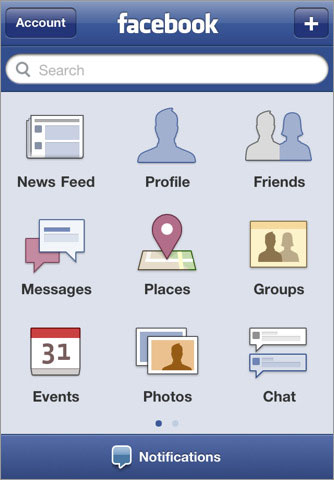
Social networks thrive with a reliable app—you've got to be social on the go—and Facebook's for iPhone is solid. Despite occasional crashes, Facebook loads pretty fast and has a decent interface for viewing photos. The design is intuitive to navigate, too.


Find My iPhone
New as of iOS 5 (October 2011), the Find My iPhone from Apple helps you locate a lost or stolen iPhone. It also works on other Apple devices, like iMacs and iPads. You can use your Apple login to find the geo-location of any of your devices, as long as they are connected to Wi-Fi or 3G. You can also remotely make your phone blare a loud noise, even if it's turned to silent mode, if you think you've lost it within earshot. And you can remotely send a message to your phone's screen if you think someone trustworthy has it in their position and you want them to be able to contact you.


Flickr
If you're a Flickr user, the free Flickr app for iPhone will do wonders to expand your photo collection because it lets you upload images instantly from your mobile device. You can also browse photos from other users.


GateGuru
No matter what app you use to book your travel arrangements or manage your frequent flier miles, you'll still want to pack GateGuru on your next trip to the airport. The free app is chockfull of suggestions and reviews pertaining to airports: food, retail, services, and even the amount of time needed to travel between gates and terminals. The next time you're stuck with a long layover and no idea if you can make it to the cleaner bathrooms by Gate B7, just consult GateGuru for some advice.


Google Earth
A friend of mine who lives in Georgia (the country, not the U.S. state) sent me a photo of the summer home he's building on the outskirts of Tbilisi. He didn't take a snapshot—he sent a link to Google Earth, where I could see his actual dacha among the trees and soft hills from a photo taken from space… on my iPhone. If that's not incredible, I don't know what is. The ability to explore our planet from a handheld device… wow. 


Google+ Mobile

Social networks need mobile apps to thrive, and Google+'s is a fine start for the platform that arrived in July 2011. The app taps into conventions established by other online social networks—such as Facebook and Twitter—while finding some of its own strengths at the same time. Google+ Mobile works fairly well, due to a smart design and comprehensible interface. Unlike other Google products, which are often accused of being too sparse, the mobile app is balanced—not too cluttered and not too thin on menus, buttons, and features.


Google Search
Search giant Google has many excellent free apps (as evidenced by the fact that more than one is on this very list), but its namesake search app is the one closest to its founding business, and thus, bursting with some pretty intense features. You can search by typing keywords, or by speaking, or by snapping a photo, as there's a toggle for Google Goggles (in the settings), which lets you take photos of books, landmarks, logos, artwork, barcodes, and more, and find out more about them. You can also save pictures you take, and the app will scan and read any text that appears on them as well. The Google Searh app does a lot more than just search the Internet, making it well worth the free download.


Google Translate

With more than 30 languages supported and delivering impressively accurate results most of the time, the Google Translate app is one of the most remarkable programs you can load onto your iPhone. Most people probably won’t need it too often, except when traveling or studying a language, but it can be amazingly useful in unexpected circumstances.


iBooks

If Kindle and Nook don't tickle your fancy, Apple has its own little online bookstore where you can download and save novels, magazines, newspapers, and other reading material—and yes, many of the books and periodicals are free! This personal digital library works on iPad and iPad 2 as well, so you can browse for books on the go from your phone and save them to read on the tablet later.


IMDb Movies & TV

"What was the name of that movie… the one with Ally Sheedy and Fisher Stevens?" The next time you can't remember the name of an actor, television show, or film (Short Circuit, by the way) IMDb saves the day. One of the handiest reference websites on the planet, IMDb never fails when it comes to looking up anything that has to do with TV, film, or Hollywood. The IMDb Movies & TV app also lets you find which movies are playing at your local cinema, and even purchase tickets. With an IMDb account (free or paid for Pro), the app provides even more features, like the ability to create a watchlist of movies you want to see.


Kindle

Read books, magazines, and newspapers right on your iPhone without ever buying an e-reader. From within the Kindle app, you can buy or download for free hundreds of thousands of books, and more than 100 different newspapers and magazines.


Mint.com

The website and service Mint.com helps you keep detailed account of your finances by connecting to your bank and credit card accounts and tracking all the money you earn and spend. The Mint.com iPhone app extends the experience so users can keep an eye on their spending better while on the go. Just enter a few data points in the iPhone as you spend, and you’ll be able to see your spending patterns as an easy-to-read chart.


MyFitnessPal


The free fitness app MyFitnessPal is one of the best all-in-one calorie counter and exercise trackers for the iPhone. A simple design and interface make using the app a quick chore rather than a fatiguing project, which is essential when trying to reach a long-term fitness or weight goal. The biggest selling point of this app is its exhaustive food and nutrition database, which trounces every competitor's that we've seen.


Nook

Anti-Amazon book lovers might prefer an app by Barnes & Noble for reading on their iPhones, NOOK. NOOK and Kindle largely do the same thing (give you access to an impressive library of books, newspapers, magazines, and other things to read), although their interfaces and experiences are different. Whether you like Amazon or B&N is largely a matter of personal preference. The NOOK app feels a little more graceful in its design, whereas the Kindle app looks more utilitarian.


Opera Mini


When the Safari browser that came pre-installed on your iPhone simply won't load, Opera Mini wins. The first true alternative browser for Apple's iPhone isn't a better browser than Mobile Safari—at least most of the time—but when AT&T's network totally collapses on you, Opera Mini pulls Web pages out where Apple's own browser stalls. Opera Mini is different than other so-called browsers. As a proxy browser, it doesn't actually load Web pages at all. Rather, it sends a request to Opera's servers, which loads the page, compresses it by 80 to 90 percent, and sends your phone a compressed image of the page.


PBS

Many (oh so many!) television and movie streaming apps say they're free, but then they require a subscription or membership fee. Not PBS. The Public Broadcasting Network brings TV to your iPhone, 100 percent free. You can watch NOVA, Frontline, The Secret Lives of Scientists, Antiques Roadshow, several children's shows, and my favorite, all the old Julia Child: Lessons with Master Chefs episodes. 


RedLaser – Barcode Scanner and QR Code Reader

RedLaser, an app that turns your iPhone's camera into a barcode scanner, has long been on every new iPhone owner's list of free apps to download. Over time, the app has only improved, and it's now a multi-functional scanner that works on QR codes, too. When shopping, scan any item with a barcode, and RedLaser delivers detailed information about the product, including whether you can buy it at a better price nearby. 


Shazam

If you hear a song and don't know what it is (or for the life of you, can't remember who sings it)—Shazam to the rescue! Launch Shazam and hold it as close as you can to the speakers, then let her rip. Within a few seconds, the app will tell you the title, artist, and sometimes even find the album art, too. Shazam is a whiz with most radio-play songs, new and old, originals and covers, but it occasionally gets stumped by obscure b-sides.


Skype


Skype is one of the best, free communication tools for the iPhone. As of version 3.0, the app lets you make video calls. As with other versions, Skype for iPhone lets call or chat with other Skype users at no charge, or buy credit to call any other phone number, landline or mobile.


Slacker Radio


When I ask my colleagues at PCMag which music streaming service they like best, someone always mentions Slacker Radio, and everyone else's heads start nodding. The same outstanding service you'll find in Slacker Radio's online version is on the iPhone and has been for a long enough time for the company to have massaged the interface and performance to the point that you can appreciate it audibly.


Solitaire (by MobilityWare)

At times, all you to do is take a mental break for three minutes and zone out with your phone. That's when you want Solitaire. This version by MobilityWare shows a single-page ad before every game, but none while you're playing. It's a straightforward implementation of the classic single-player card game, with a multiplayer option, too.


TED Mobile

TED's tagline is "Ideas worth spreading," and what better way to spread the ideas from this series of education, explorative, and motivational talks than by carrying them with you wherever you go. TED once was a highly exclusive conference, closed off even to most press, and the organization's greatest accomplishment to date has been to open up the knowledge that comes from its speakers by making videos of their presentations and performances available online to the public. If you're unfamiliar with TED, give Jill Bolte Taylor's stroke of insight presentation a try. You'll be hooked.


The Weather Channel

In putting together this list of free iPhone apps, I thought long and hard about the ones I actually use most day in and day out. The Weather Channel's free app is one that I open at least once a day. Sometimes it's a little embarrassing (really? I can't just look out the window?), but other times, like when I'm leaving the house for a full day and want to know how to dress for the weather conditions five hours from now, The Weather Channel has more time-based information than the built-in Weather app from Apple. The Weather Channel's free app does contain some advertisements, but they're tolerable. 


Trainyard Express


In this captivating iPhone game from indie developer Matt Rix, players lay down tracks to guide trains from their starting points to the stations, sometimes merging with other trains along the way. Trains, starting points, and stations are color-coded. Red trains must end up in red goal stations. A blue train can merge with a red train to become a purple one before it reaches a purple station. As the difficulty increases, the number of trains also increases, as well as the number of objectives in each level. Trainyard Express is an absolutely addictive and fun puzzle game for players of all ages. 


TripIt

TripIt tops the list of travel apps. It automatically syncs your emailed itineraries to a TripIt organizer, putting all your travel plans right on your iPhone no matter which booking agent you use. It's hands down the most recommended app for frequent jet-setters… but watch out for the ads.


Twitter

For a long time, Twitter Inc., the company that owns the 140-character social network, didn't make its own app. Dozens of third parties did, however, but not all the resulting apps were worth using. So when Twitter released its official Twitter app—and it worked well and loaded quickly!—users folded the new tool into their iPhones happily. If you tweet, it's a no-brainer to have this app. If you don't tweet and have been on the fence about joining the masses, the iPhone app makes it easy and convenient to get on board. With iOS 5 (available for iPhone 3GS, iPhone 4 and iPhone 4S) has a lot of Twitter functionality directly integrated into other apps, so you can tweet out things you want to share with greater ease. You still need the Twitter app (or another Twitter client) to read tweets, though.


WebMD

WebMD is much more than a diagnosis app, although you certainly can use it to input symptoms you are experiencing and find some clues as to what's ailing you. It also contains listings for healthcare professionals and pharmacies in your area, as well as first-aid guides—simple instructions for dealing with an emergency that everyone should have accessible to them at any time. This free reference app is one you hope you don't need, but the moment you do, you'll be glad you downloaded it.


Wikipedia

Half the fun of having a smartphone is looking things up when you're in the middle of a bar bet—and hopefully proving yourself right. Wikipedia is the go-to source for fact-checking in the mobile age, and the Wikipedia app usually returns results faster than a mobile search engine.


Yelp


The most comprehensive review app, Yelp turns out to be an invaluable tool for finding businesses nearby, especially when you're in a town you don't know well. Yelp's mobile app has helped me find a hairdresser when I was in a pinch in Washington DC, and a suitable lunch while driving through Ohio (shout-out to Moreland Hills!). Need to find an acupuncturist in Austin? Or the most popular coffee shop in Charlotte (emphasis on "popular" and not necessarily "best," by the way)? Yelp's the app to do it


Posted by Love Ur Life 0 comments